Applied Markets
Installed Gases
Project Details
Hello, this is RS Korea's technical sales team. Today's post covers a special project, so it will be a long one with plenty of photos — here's a quick summary of the key points before we dive in.
1. Two separate sewage treatment plants in Incheon (not two units at one site, but two distinct locations) already had FIX800 O2/H2S/EX confined-space safety meters installed, along with FIX-DS 3-channel status boards at their entrances.
2. The customer needed an easy way to monitor both installed points at once.
3. We installed our new FIX AP product at both locations so everything could be managed from a single control room.
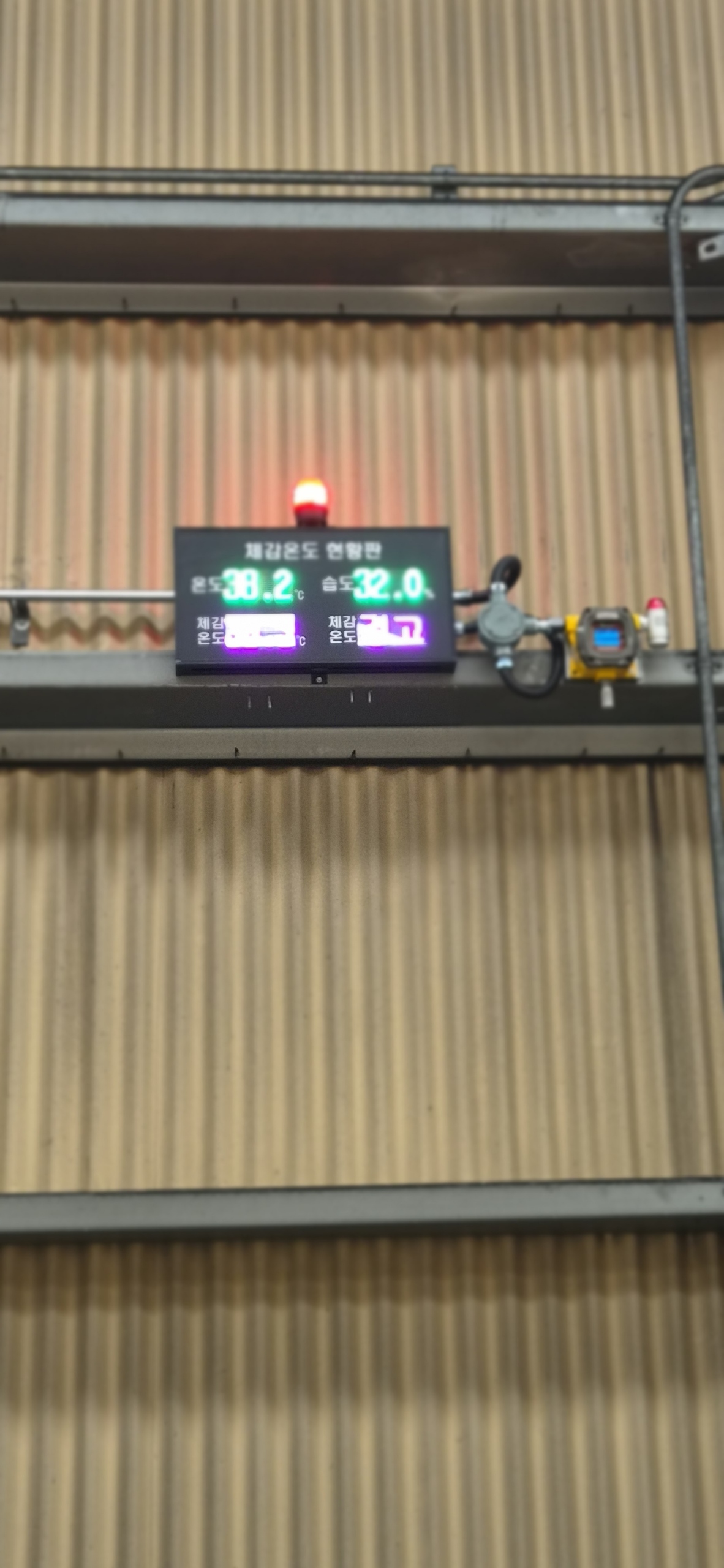
4. We also added temperature and humidity transmitters — a topic of growing interest lately — for monitoring proper working conditions, integrated into the same monitoring system.
Conclusion: we connected wireless monitoring hardware to the existing FIX800 installations and additionally installed temperature/humidity instruments, completing setup and training.
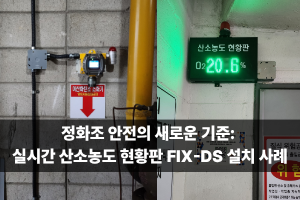
Now for the full story. This site already had a FIX800 3GAS fixed multi-gas meter installed at two locations through a distributor, monitoring the three gases expected in a confined-space water treatment environment — O2, H2S, and EX — along with status boards at the entrances showing live readings. If you follow our blog regularly, you've likely already seen many installation cases using this same combination of status board and meter; if this is your first visit, searching "installation" on our blog will bring up more examples.
Back in 2023, RS Korea was already developing wireless systems and hardware to monitor not just our fixed gas meters but a broader range of environmental conditions. Incheon's request happened to align perfectly with that development direction, so we accelerated the work, and this February we completed the launch of FIX AP, our integrated environmental monitoring system.
Part 1 — FIX AP launch and site visit
We headed to the site with our newly launched product in hand. The most important factor when deploying the FIX AP wireless hardware is the site's connectivity — as covered in more detail in an earlier post, the site needs either a nearby router with an available LAN line or strong enough WiFi coverage.
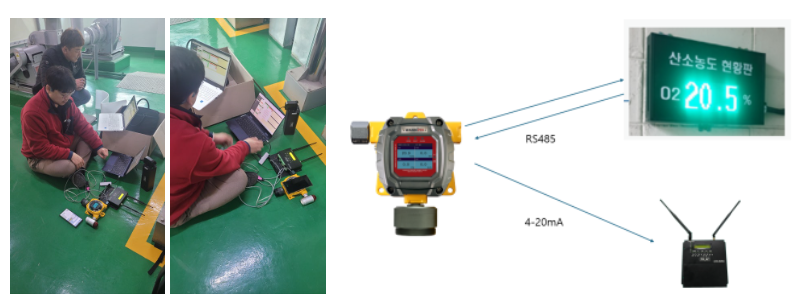
We proceeded step by step, connecting the FIX AP to the site's WiFi. The facility had thoughtfully set up a WiFi router near the planned FIX AP installation point ahead of time, which made this project go smoothly. The FIX AP model receives both the RS-485 communication signal and the 4-20mA analog signal from the meter and sends the data to the cloud. Since the status board and meter here were already connected 1:1, we used the FIX AP's 4-20mA terminal for this connection — a nice showcase of the FIX800's ability to output both digital and analog signals without extra options, matched by the FIX AP's ability to receive both.
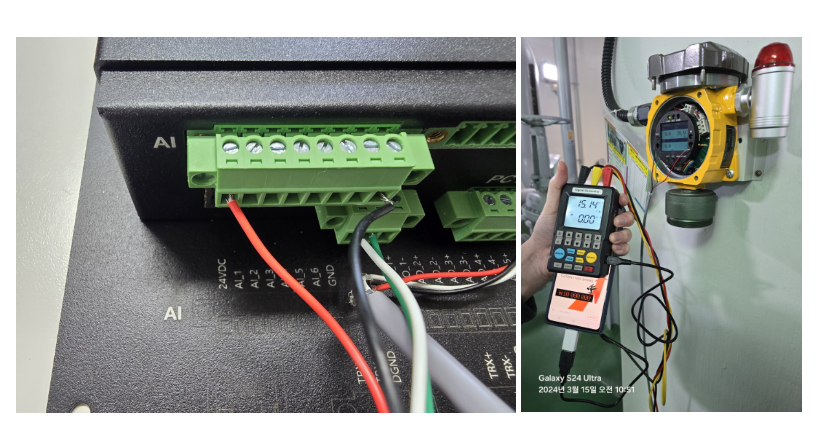
The FIX-AP offers a generous 6 channels of 4-20mA input along with a 24V ± output terminal, making it compatible with 2-wire, 3-wire, and 4-wire transmitters of any kind. With three sensors already in place, we used channels 1 through 3, leaving 3 channels free — which is exactly where we suggested adding a temperature and humidity transmitter.
Part 2 — FIX AP installation and wiring
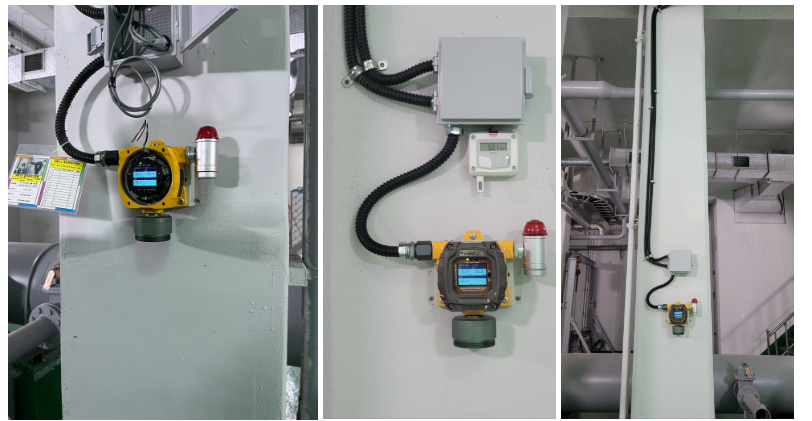
We cut into the existing conduit line and installed a junction box to add the new 4-20mA wiring. Running six new strands through the existing piping — three 4-20mA signal lines from the FIX800, plus temperature, humidity, and a shared negative line — wasn't practical, so we laid an entirely new line instead.
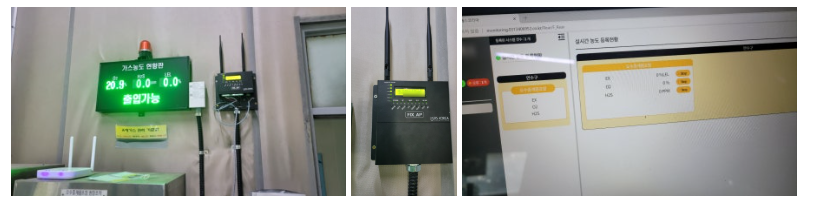
There was ample space next to the status board, and having the router right there made things easier. Once the connection was established, the device name on the display updated to the ID the user had set. We registered the device on the server — communication typically begins about 1 minute 48 seconds after the initial connection. Since the two sites weren't far apart, we completed the work within a single day for each. To keep this post from running even longer, we'll summarize: FIX-AP installation and connection was completed at both locations, and temperature/humidity transmitter installation and connection was completed at both locations as well, though on separate days — the original budget covered the FIX-AP work, while the temperature/humidity addition came up as a proposal mid-project, so it needed extra time for budget approval and was carried out separately.
Part 3 — Cloud service setup, test run, and user training
With both locations fully installed, we conducted monitoring service training at an office well away from the actual sites. We walked through real-time concentration monitoring, the saved-data management screen, and the installation details for each location in turn. The facility manager already had the mobile web monitoring dashboard open on their phone.
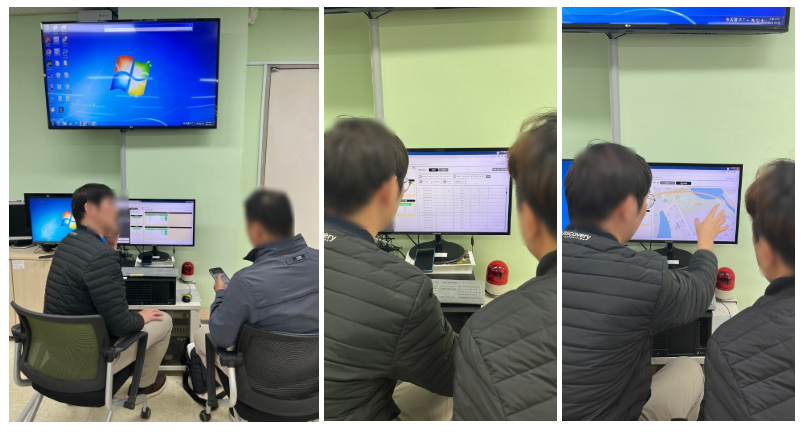
Since there's no app or software to install, anyone can log into the cloud system at the same time and comfortably monitor conditions at the installation site.
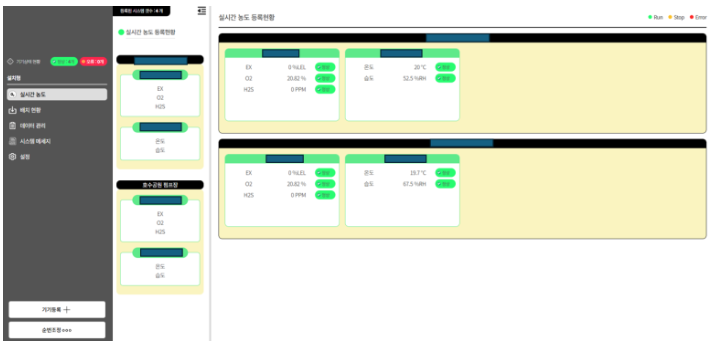
We captured this screen with the user's consent, removing any identifying details. The feedback from the site was very positive.
Part 4 — Conclusion: remote monitoring via FIX AP, and universal compatibility with any 4-20mA transmitter
With this project, RS Korea successfully brought wireless monitoring to gas meters that were already installed on-site, and being able to view multiple environmental factors — not just gas — at once has been a genuinely satisfying result. We'll keep pushing forward, including future updates for connecting equipment that uses only 485 communication, and developing options that let the status board, meter, and FIX-AP all work together seamlessly.
If you have a gas meter or other environmental instrument you'd like to make wireless, please feel free to reach out to RS Korea any time.

Frequently Asked Questions (FAQ)
Q1. What does the FIX AP add to an existing FIX800 installation?
A1. The FIX AP receives both the RS-485 digital signal and the 4-20mA analog signal from an already-installed FIX800 meter and transmits that data to a web-based cloud dashboard, turning an existing wired installation into a remotely monitorable one without replacing the meter itself.
Q2. What connectivity does a site need to use the FIX AP?
A2. The site needs either a nearby router with an available LAN connection, or sufficiently strong WiFi coverage at the installation point.
Q3. Can the FIX AP work with transmitters other than gas meters?
A3. Yes. The FIX-AP has 6 channels of 4-20mA input plus a 24V ± output terminal, so it supports 2-wire, 3-wire, and 4-wire transmitters of any type — which is why a temperature and humidity transmitter could be added using the channels left over after the gas meter connection.
Q4. How long does it take for a newly connected device to start reporting data?
A4. Communication typically begins around 1 minute 48 seconds after the initial connection to the server.
Q5. Do users need to install an app to view the monitoring data?
A5. No. The system runs entirely through a web-based cloud dashboard, so anyone with the login can monitor the site in real time from a browser, including on mobile, without installing any software.
#FIXAP#FIX800#WirelessMonitoring#RemoteMonitoring#GasDetector#TemperatureHumidityTransmitter#ConfinedSpaceSafety#CloudMonitoring#RSKorea#IndustrialSafety
![[레이먼드] 오,폐수 처리실 유해가스 모니터링](https://wandi.co.kr/storage/construction-cases/YxFUQVBZ8Unnk7pJzzfsmezr6xNe0LZvQRDmt7TL.jpg)
![[브이피이코리아] 종합병원 지하 밀폐공간 가스 측정기 설치_FIX800 & FIX-DS](https://wandi.co.kr/storage/construction-cases/gNOA28xSlEy5uU3AOxyHDRH5UfAe0TpMTgAt4Uag.jpg)

